
How to Fix Final Fantasy 7 Rebirth Stuttering on PC
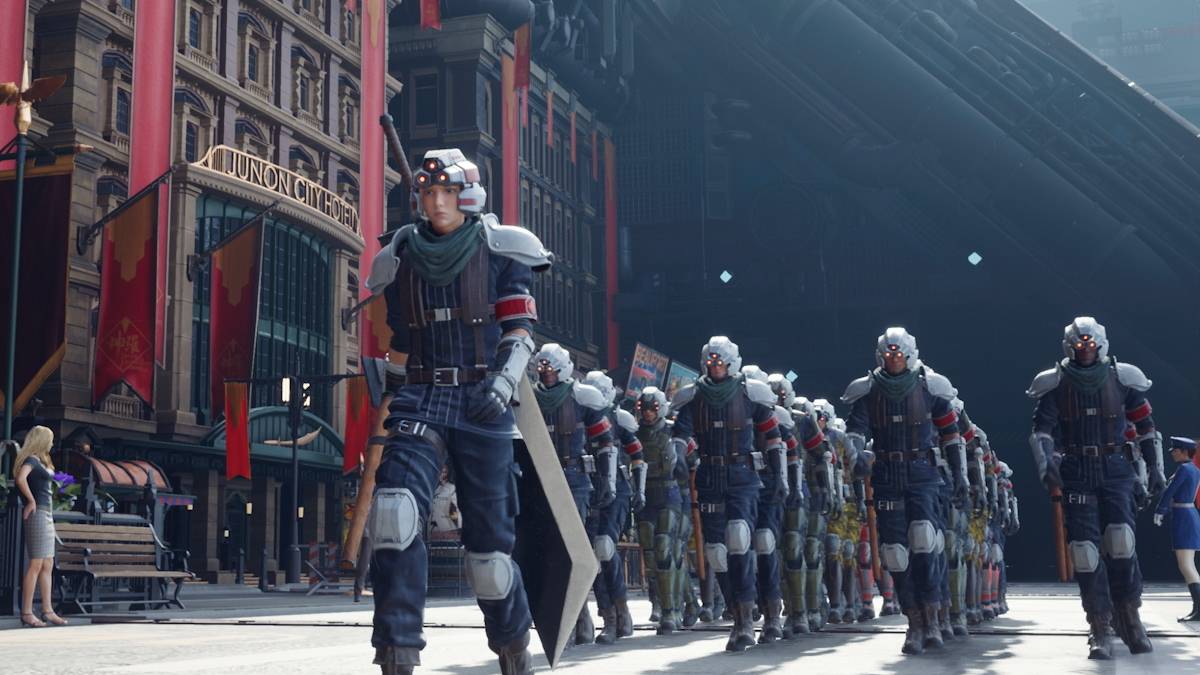
Alas, the curse of poor optimization has struck Final Fantasy VII Rebirth. Following its PC release, many players are reporting frustrating stuttering issues. Fortunately, several solutions can help alleviate this problem.
Table of Contents
- Final Fantasy VII Rebirth PC Stuttering Solutions
- Lower Graphics Settings
- Update Your GPU Drivers
- Use Mods
- Adjust Nvidia Settings
Final Fantasy VII Rebirth PC Stuttering Solutions
Lower Graphics Settings
Final Fantasy VII Rebirth is a visually demanding game. To avoid stuttering, ensure your PC meets the recommended specifications. If you only meet the minimum requirements, carefully adjust your graphics settings. Access the in-game menu, select graphics options, and start with the lowest settings. Gradually increase them, monitoring performance for any improvement.
Consider enabling Variable Refresh Rate (VRR) via your Display Sync Technology setting. Some players report this reduces lag and stuttering, although it might introduce minor visual artifacts.
Update Your GPU Drivers
Outdated GPU drivers are a common culprit for performance issues. Ensure you have the latest drivers installed for optimal performance. Nvidia users should open GeForce Experience and check for updates under the Drivers tab. AMD users can use the AMD Adrenalin Edition software to check for updates.
Related: All Minigames in FF7 Rebirth, Ranked from Worst to Best
Use Mods
Community-created mods can sometimes significantly improve performance. Two mods worth considering are Fantasy Optimizer and Ultimate Engine Tweaks. These mods typically require placing files within a dedicated mod folder in the game's directory. Using a mod manager like Vortex from Nexus Mods can simplify this process. Note that Ultimate Engine Tweaks often requires FFVIIHook.
Adjust Your Nvidia Settings
Nvidia users can try additional optimizations within the Nvidia Control Panel. Enable V-Sync and G-Sync in the Graphics settings, but ensure V-Sync is disabled within the game itself. Experiment with the Low Latency Mode setting, trying both "On" and "Ultra."
This covers the most effective methods for resolving stuttering in Final Fantasy VII Rebirth.
Final Fantasy VII Rebirth is available now on PlayStation and PC.
-
Nintendo has confirmed it will launch a new official retail store in Fukuoka, Japan, scheduled to open in late 2025.This upcoming Nintendo Fukuoka outlet will become the gaming giant's fourth Japanese flagship location, joining existing stores in TokAuthor : Audrey Jan 01,2026
-
 Dunk City Dynasty is now available globally on mobile devicesExperience intense streetball action with fast-paced gameplay ranging from 5v5 matches to quick 11-point gamesControl real NBA stars and personalize them with fashionable gearThe roots of aAuthor : Hazel Dec 31,2025
-
 Warm SnowDownload
 -
 Teen Patti family HeartDownload
 -
 Polysphere: Art Puzzle GameDownload
 -
 بازی کلمات |بازی کلمه|حدس کلمهDownload
 -
 Slot PerfectDownload
 -
 Chess Tactics in Sicilian 2Download
 -
 Bottle Shooting Knock Down 2Download
 -
 Age of TribesDownload
 -
 Cooking CenterDownload
 -
 Gangster City: Hero vs MonsterDownload








- STALKER 2: Heart of Chornobyl - All Endings (& How to Get Them)
- Steampunk RPG Eldgear Unveiled by KEMCO
- Metaphor: ReFantazio - Complete Bond Guide
- NYT Hints and Answers: Guide to January 10, 2025
- Discover the Artifacts in Stalker 2: Locations and Acquisition
- Mushroom Go! Unleashes Co-op Dungeon Adventure for Fungi Fans